








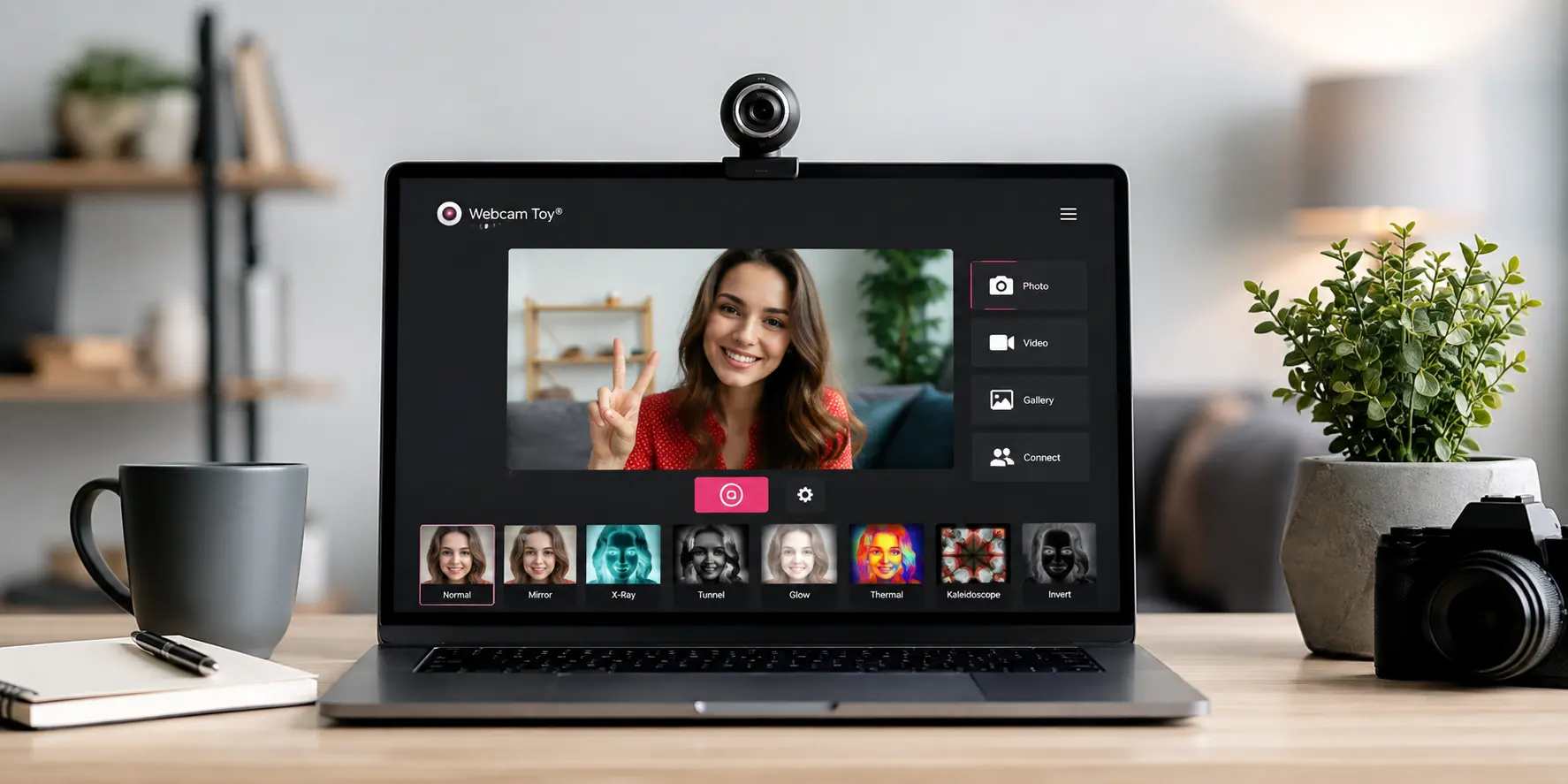
You’re about to join a virtual call, update your social media, or just want a fun, quirky photo to break the monotony—only to realize you don’t want to download anything, sign up for an app, or deal with complicated software. Sound familiar? That’s exactly where Webcam Toy shines.
In a digital world overrun with apps that demand permissions, installs, and logins just to snap a picture, Webcam Toy offers a refreshingly simple, instant solution. It’s a free, browser-based photo booth that works right from your webcam with over 80 playful, creative, and sometimes bizarre visual effects. And while its core hasn’t changed much since its launch over a decade ago, that consistency is part of what makes it a hidden gem even in 2026.
Let’s take a deep dive into what Webcam Toy offers, how it works, and whether it’s still worth bookmarking in your browser.
What Is Webcam Toy?
Webcam Toy is the brainchild of Neave Interactive, a small developer known for producing fun, interactive digital tools. Launched around 2010, the site has largely maintained its original design and functionality—and that’s not a complaint. In a world where constant updates often break more than they fix, Webcam Toy’s simplicity is its strength.
This is a single-page web app with no account required, no installation, and no third-party software to worry about. You just visit the site, grant camera permission, and dive right into a massive gallery of visual effects. That’s it. It’s an incredibly streamlined user experience that puts creativity front and center.
How It Works (Step-by-Step)
Using Webcam Toy is as intuitive as it gets. Here’s how it works:
- Open Webcam Toy in your browser (Chrome or Edge recommended).
- Grant camera access when prompted.
- You’ll immediately see your webcam feed with an effect applied.
- Browse through effects using the “More effects…” button or swipe left/right.
- When ready, hit the camera icon to take a picture.
- Choose to save the image to your computer or share it directly to Twitter, Google Photos, or Tumblr.
You’ll also find several quick-access buttons to enhance your photo-taking experience:
- Mirror – Flip the image for a more familiar selfie view.
- Square – Adjust to Instagram-friendly dimensions.
- Countdown – Set a timer for hands-free photos.
- Flash – Simulates a camera flash to help with lighting.
- Full Screen – Use the whole screen for immersive shots.
- Single / Four-shot mode – Take one photo or a four-frame burst (like a classic photo booth strip).
Everything happens on one page with minimal clicks. No delays, no extra menus, and no feature bloat.
The Effects Library — The Main Attraction
With over 80 effects, the heart of Webcam Toy is undoubtedly its vibrant and eclectic filter library. Effects are grouped across a wide spectrum of styles:
- Retro & Vintage: Pop Art, Polaroid, Sepia, Vintage
- Distortion & Warp: Fisheye, Kaleidoscope, Mirror, Quad-Cam
- Artistic Filters: Comic Book, Crosshatch, Sketch, Charcoal, ASCII
- Color/Light Play: Bloom, Neon, Bokeh, Thermal, Night Vision
- Just for Fun: Alien, LSD, Fire, Glitch, X-Ray
While some filters (like the ASCII or Mirror effects) remain consistent favorites for their unique visual punch, others do feel more like filler—dated seasonal overlays or low-effort blur tweaks that may only appeal to kids or nostalgic users.
Still, reviewers agree that about 25 of the 80+ filters are genuinely creative and worth returning to, making the overall experience playful and surprisingly versatile.
Privacy & Data — Should You Trust It?
One of Webcam Toy’s standout features is its privacy-first approach. There’s no signup, and no account needed to use the site. Even more importantly, the app does not store your photos on its servers unless you actively choose to share them via one of its social options.
If you do connect your Twitter, Tumblr, or Google Photos accounts, sharing is seamless, but the responsibility for data handling then shifts to those platforms. For casual use—especially if you’re just saving images locally—Webcam Toy never sees or stores your content.
Reputation-wise, scam and trust-check sites generally rate Webcam Toy as legitimate and safe, though some label it under “entertainment” categories due to its playful nature and ad-based hosting. No red flags, just a heads-up for the privacy-conscious.
Pros and Cons
Let’s break down the benefits and drawbacks.
Pros:
- Completely free, with no hidden paywalls
- No installs, accounts, or downloads needed
- Over 80 effects for a wide range of creative styles
- Photos save directly to your device
- Cross-browser compatible (best on Chrome or Edge)
- Respects user privacy
Cons:
- Max resolution is limited to 720p
- No photo editing tools after capture
- No video recording mode
- Seasonal frames and some effects feel dated
- Safari and mobile browser support can be limited
Who Should Use Webcam Toy?
Webcam Toy is perfect for:
- Casual users who want a fun selfie without fuss
- Teachers or parents looking for creative tools for kids
- People updating avatars or profile pictures quickly
- Students and creatives using quirky backgrounds for projects or calls
However, it’s not ideal for:
- Streamers or content creators needing live overlays or video (try OBS or Snap Camera instead)
- Anyone needing high-resolution photography for professional use
How It Compares to Alternatives?
Here’s a quick look at how Webcam Toy stacks up:
| Feature | Webcam Toy | Snap Camera | Photo Booth (macOS) | Pixect |
| Free to use | ✅ | ✅ | ✅ (Mac only) | ✅ |
| Browser-based | ✅ | ❌ (Install needed) | ❌ | ✅ |
| No signup/account | ✅ | ❌ | ✅ | ❌ |
| Effect variety | ⭐⭐⭐⭐ | ⭐⭐⭐⭐ | ⭐⭐ | ⭐⭐⭐ |
| Video support | ❌ | ✅ | ✅ | ✅ |
| Privacy-focused | ✅ | ❌ | ✅ | ❌ |
Webcam Toy’s biggest advantage is speed, privacy, and accessibility. Alternatives may be more robust—but also more complex.
Tips for Getting the Best Shots
Want to make the most of Webcam Toy? Keep these tips in mind:
- Use natural light or an external lamp for the clearest images.
- Enable Full Screen before shooting for immersive effect previews.
- Use the Countdown timer to step back and frame solo shots properly.
- Experiment with Mirror mode for more flattering selfie angles.
- Stick to Chrome or Edge for best compatibility.
Final Verdict: 8.5/10
Webcam Toy is the digital equivalent of a retro photo booth you never knew you needed—fast, free, and genuinely fun. Its appeal lies in simplicity, not innovation. If you want a quick, no-hassle way to take creative webcam photos without compromising privacy or patience, it’s still one of the best tools in 2026.
Sure, it won’t replace pro-grade software or video effects apps—but that’s not the point. It does one thing, and it does it well.